- Home
- Quilt Design Inspiration
- Storm At Sea Quilt Pattern
Storm at Sea Quilt Pattern
Part 2: Transform Your Quilt Design
This post contains affiliate links, for which I receive compensation.
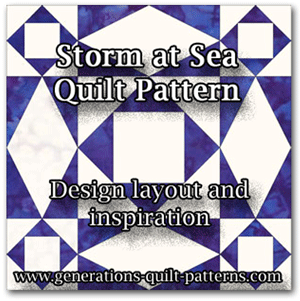
In Storm at Sea Quilt Pattern: Part 1 - Block Basics, you saw two versions of how this block is constructed.
Several of the traditional layouts for two and four color quilts were illustrated. All were recognizable Storm as Sea patterns.
Now let's get your creative design juices flowing.
Due to the combination of square and rectangular units, this quilt block offers a number of exciting design opportunities that require nothing more than changing the placement of colors and fabrics.
Take things down a notch by using low contrast fabrics and turn this block into a background.
It's all up to you!
Tools to make quilt designing easier...
Click any image for more information, reviews, and pricing.
Create a design within a design
In this first example, we've created a heart by coloring the appropriate patches red. Use this idea to add a little love to your next quilt!
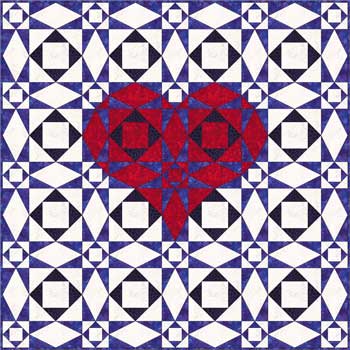 4 x 4 blocks
Use the same 'heart' idea, but now make them interlocking. The bottom
part of the Storm at Sea quilt block is missing from the last row of
this 5x5 block design to create a symmetrical layout.
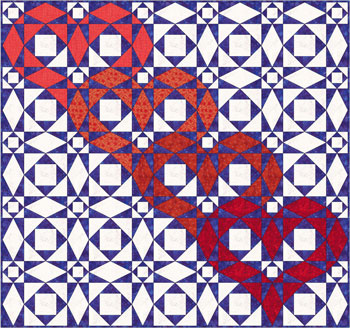 Almost 5x5 blocks
Now change up the colors to create a diamond shape...
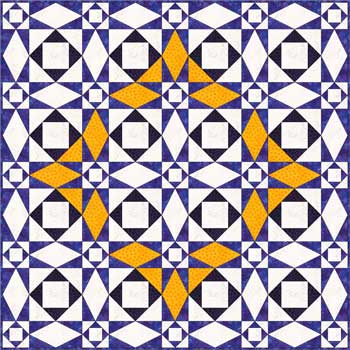 4 x 4 blocks
...and then add more color.
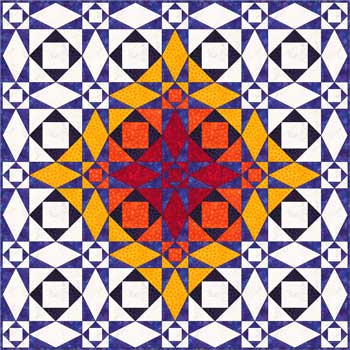 4 x 4 blocks
A pocketful of posies is easy to imagine...
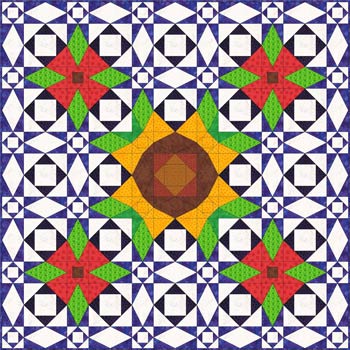 5 x 5 blocks
...or even a whole meadow.
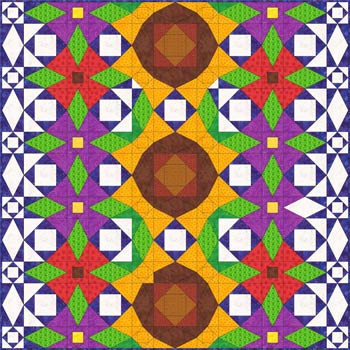 5 x 5 blocks
Storm at Sea quilt pattern as a background
Up until now, our versions of the Storm at Sea quilt pattern have used high contrasting fabrics.
Now we'll reduce the contrast in the blocks so that they can create a unified background for our quilt designs.
Set the blocks on point, replace some of the small 'square in a square' quilt blocks with solid squares and a school of fish appears to swim its way across your quilt top.
 2 x 2 blocks
Keeping the reduced contrast, why not create ribbons of undulating color. This is a great place to use some of those hand-dyed gradations you've got tucked away.
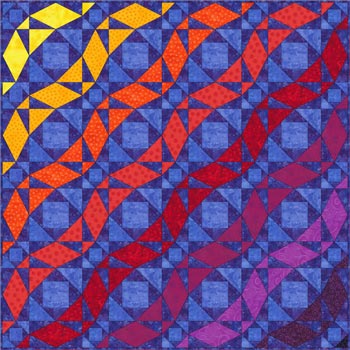 4 x 4 blocks
Take it to the next level!
In this final set of design inspirations, we use the same block layouts we've used previously, but now the block is totally transformed and looks nothing like the traditional Storm at Sea quilt pattern.
Over and under and under and over, these colorful ribbons are intertwined.
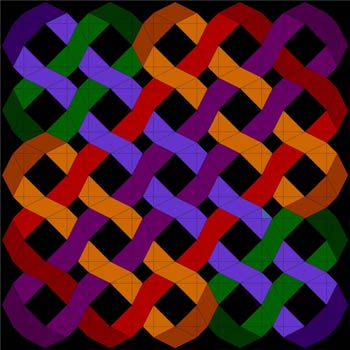 5 x 5 blocks
Back to highly contrasting fabrics, a change in color placement and alternating circles emerge.
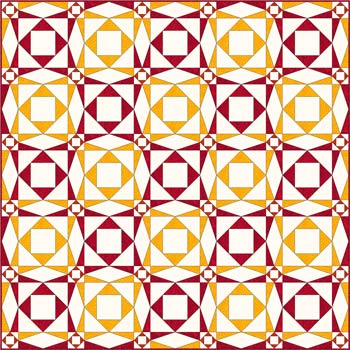 5 x 5 blocks
Don't worry about the Quilt Police!
 They don't really exist!
The Quilt Police can't stop you from swapping out portions of your Storm at Sea quilt pattern for something else.
Here we've gone back to a traditional blue and white coloring of the quilt.
But somehow, it's different...
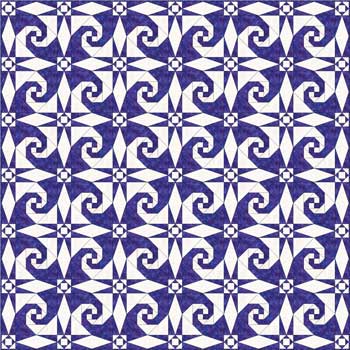 6 x 6 blocks
Can you see what we did?
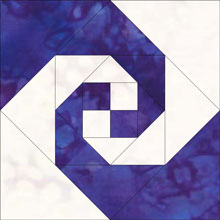 Snail's Trail quilt block
I'll give you a clue. This is a straight set quilt layout.
Did you find the change?
We replaced the larger 'square in a square' unit in the Storm at Sea quilt block with a 'snails trails' block like the one shown to the right.
The extra pieces of the Snail's Trail block add to the visual intricacy of the design...but not the skill needed to piece it.
Way back in 2012 when I first published this page, I'd never seen this combination before.
9 years later you see it a lot.
Now it's YOUR turn!
Now that your creative design juices are flowing, what will you do with YOUR Storm at Sea quilt pattern?
With all the piecing lines contained in a single block, you imagination is the limit.
For more Storm at Sea ideas, these books from Amazon.com may be just the thing! Click the image to learn more.
Hate paper piecing?
Then check out these rulers and templates to rotary cut your Storm at Sea quilt patches.
And if you REALLY love the Storm at Sea quilt pattern and want to make A LOT of blocks, Accuquilt—naturally—has a die for it here.
Coloring Pages for Designing
To help you design your next Storm at Sea quilt, we have four different coloring pages. The first two are based on our Block A; the second two are based on Block B. For more explanation on the differences between these two blocks, see Storm as Sea Quilt Pattern: Part 1 The Basics.
To download patterns for the blocks themselves, go to Storm at Sea paper piecing quilt blocks.
UPDATE: Since I wrote this article so many moons ago, I've added LOTS of quilt block patterns to the site, free to download. You can now find different sizes of each of these paper pieced units that go into making a Storm at Sea:
You'll need Adobe Reader (the latest version is recommended) installed on your computer in order to open and print any of these coloring pages. You can get the Adobe Reader here (a new window will open so you can download it without leaving this page).
Remember to set Scaling to 'None' or Custom to '100%' to print these blocks correctly.
When you've stitched up your Storm at Sea quilt pattern, we'd love to see it! You are invited to upload a picture of it to our Show and Tell. Let us appreciate your work!
Ready to set sail on your next quilting adventure?
Our Free Quilt Block Pattern Library may be just the ticket!
For design inspiration, check out Quilting Design 101 for layout ideas for your patchwork designs.




By Julie Baird
Copyright © 2008-2025 Generation Quilt Patterns, LLC
All Rights Reserved
Generations-quilt-patterns.com does not sell any personal information. (See Privacy Policy)